

Your cockpit for
AI coding agents.
A native macOS app that runs many terminal sessions across many projects and keeps every agent in view — one see-through window where terminals, files, git, notes and a good editor all stand as panes in the same grid.
brew install --cask samiabi/fold/foldmacOS 14+ · Apple silicon · signed & notarized · updates itself
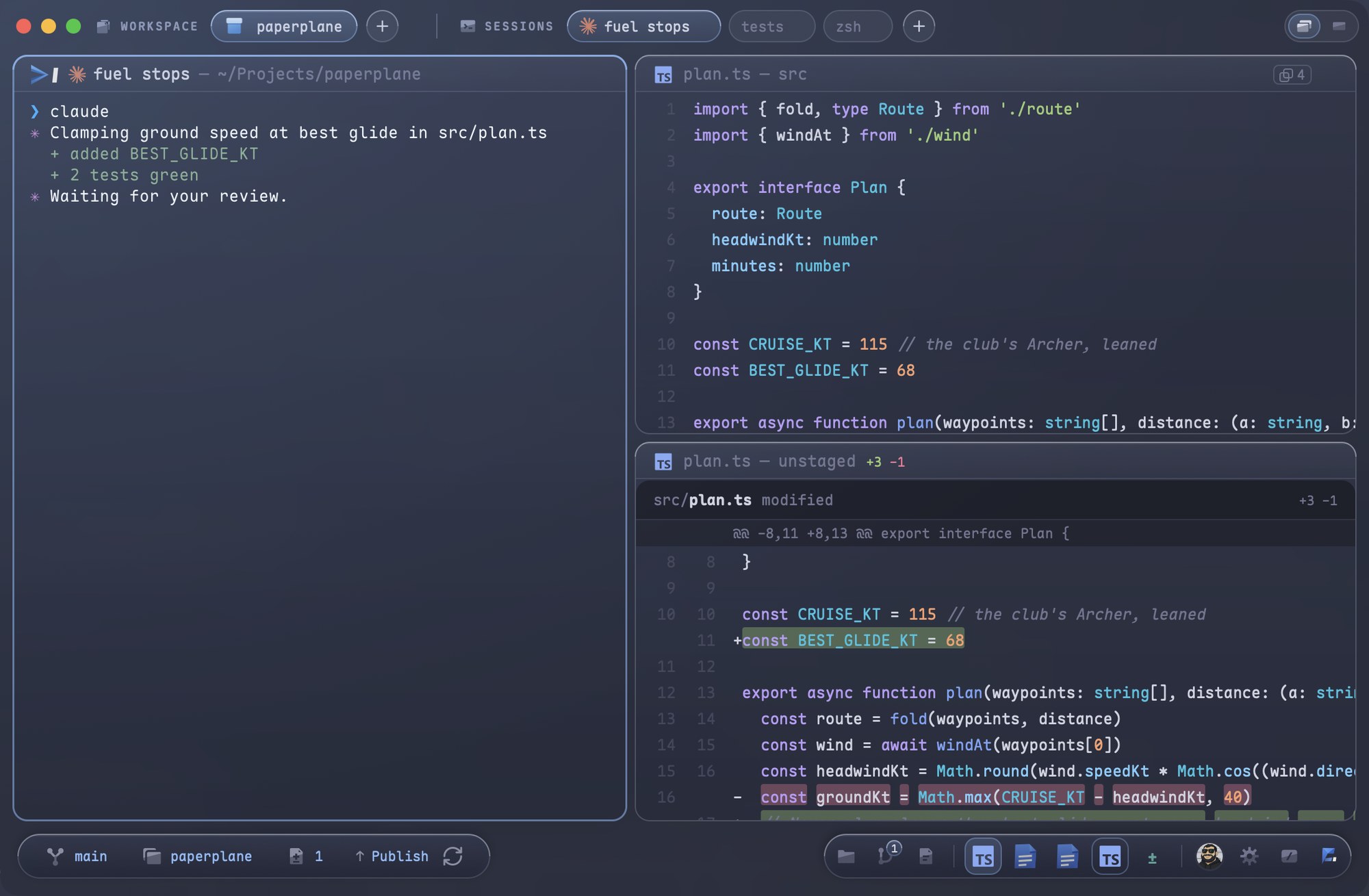

Every agent in view
One chip per session in the title bar, wearing its live title. Claude Code gets its own mark: moving while it works, still while it waits. A done sound tells you when one finishes.
Every project stays live
One tinted segment per open workspace. Switching changes what you see, never what is running. ⌥⇥ walks the sessions across all of them.
Small, native, yours
Swift and AppKit on libghostty. No browser engine, no login, no cloud. Fold hosts whatever you run and never touches an agent's config.
A real git panel, and it is your own git.
Stage, unstage, commit, branches, history, stash, worktrees — plus pull requests listed, read and merged inside the app. The panel is a tool pane you can stand on any side of the stage; diffs, commits and PRs open as document panes in the grid, several at once. All of it shells out to the git on your machine; nothing is linked in.
Read the guide →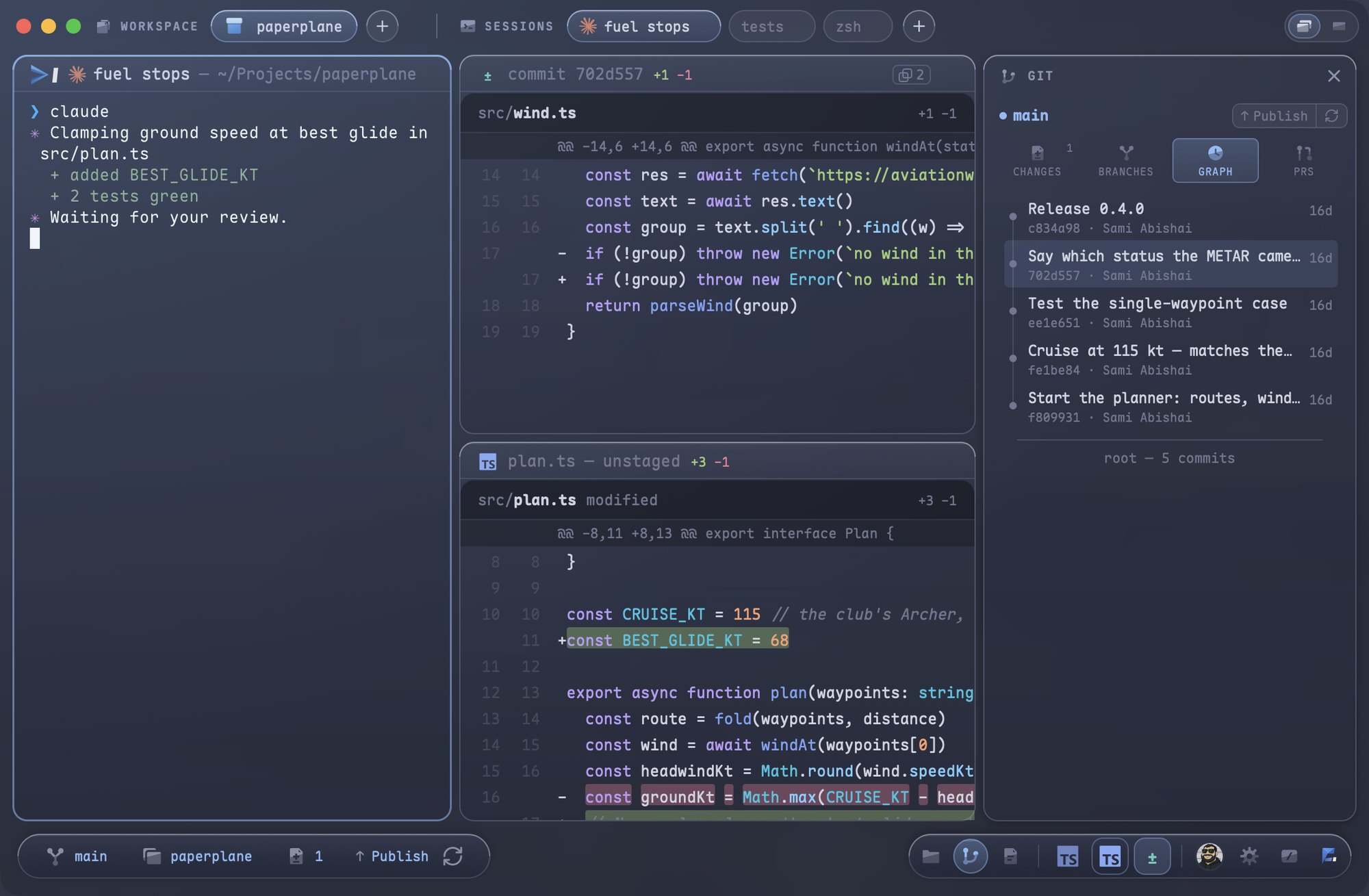
One search for names, contents, notes and commands.
⌘P opens one field over the stage. File names, file contents, your notes and every command Fold has answer in the same list, ranked as you type — and a command you pick runs from there.
Read the guide →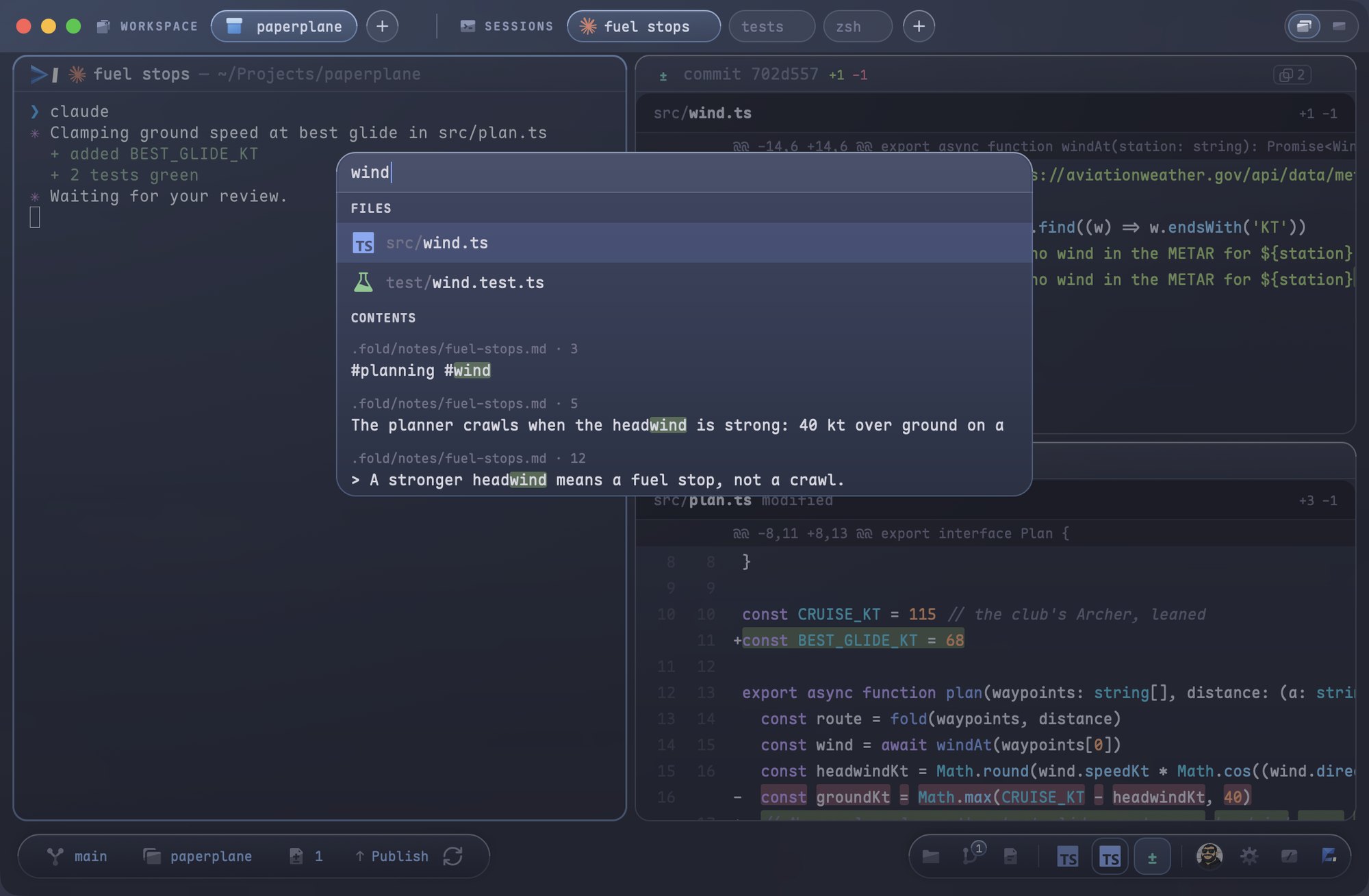
Notes beside the work, out of git.
Markdown files that live with each workspace and never reach the repository. The Notes tool pane lists them; a note opens as a document pane, renders as you type and saves itself. Tags, folders, colours, wiki-links, a lock — and when a note grows up, promote it into the repo with one command.
Read the guide →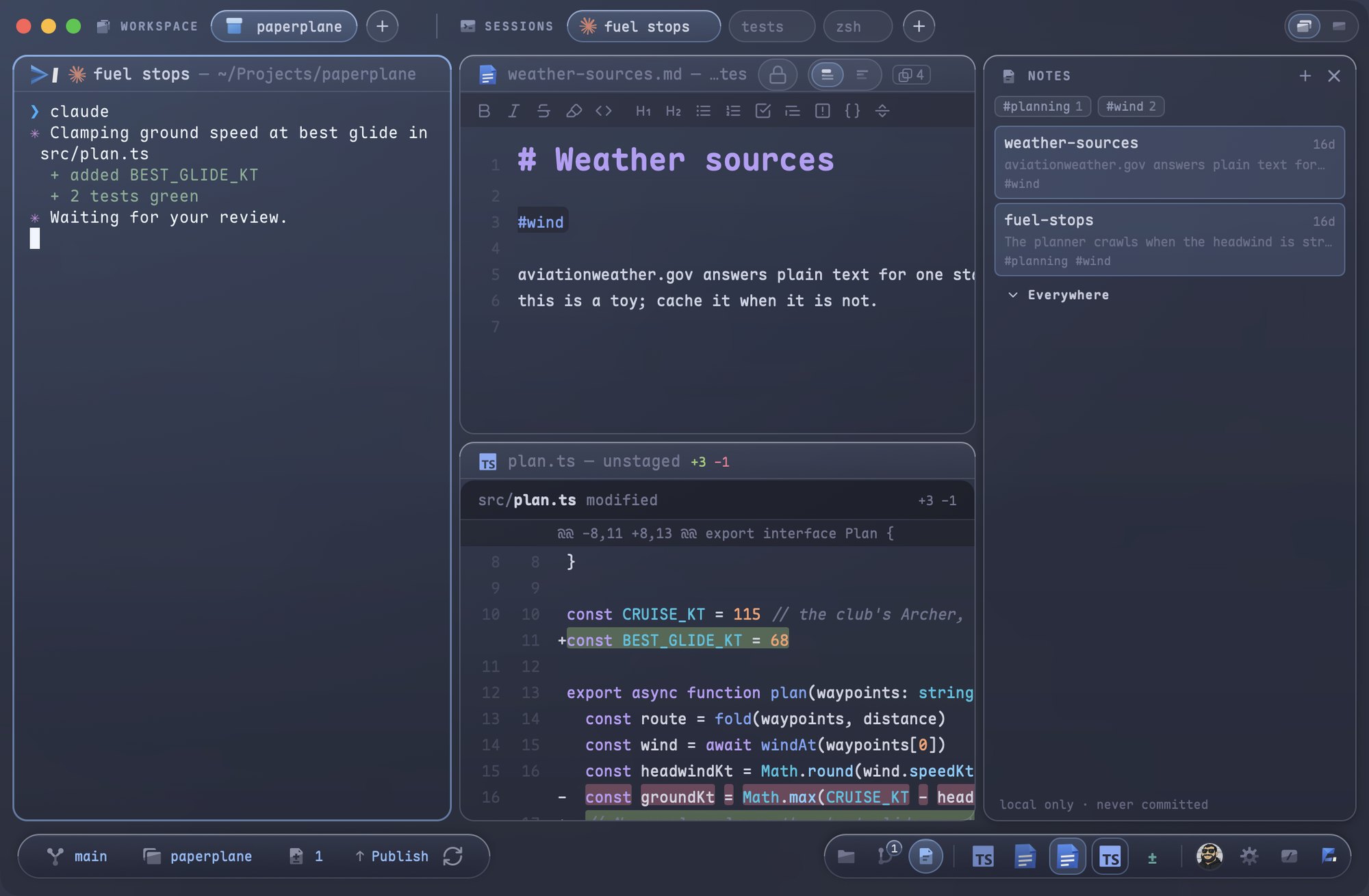
Everything has a key. ⌘/ shows all of them.
Every command can have a shortcut, and the sheet lists every one that exists — a binding missing from it is a bug, not a choice. One field at the top filters all six groups at once, and each hit says which group it came from, so ⌘C in the editor and ⌘C in the terminal stay apart.
Read the guide →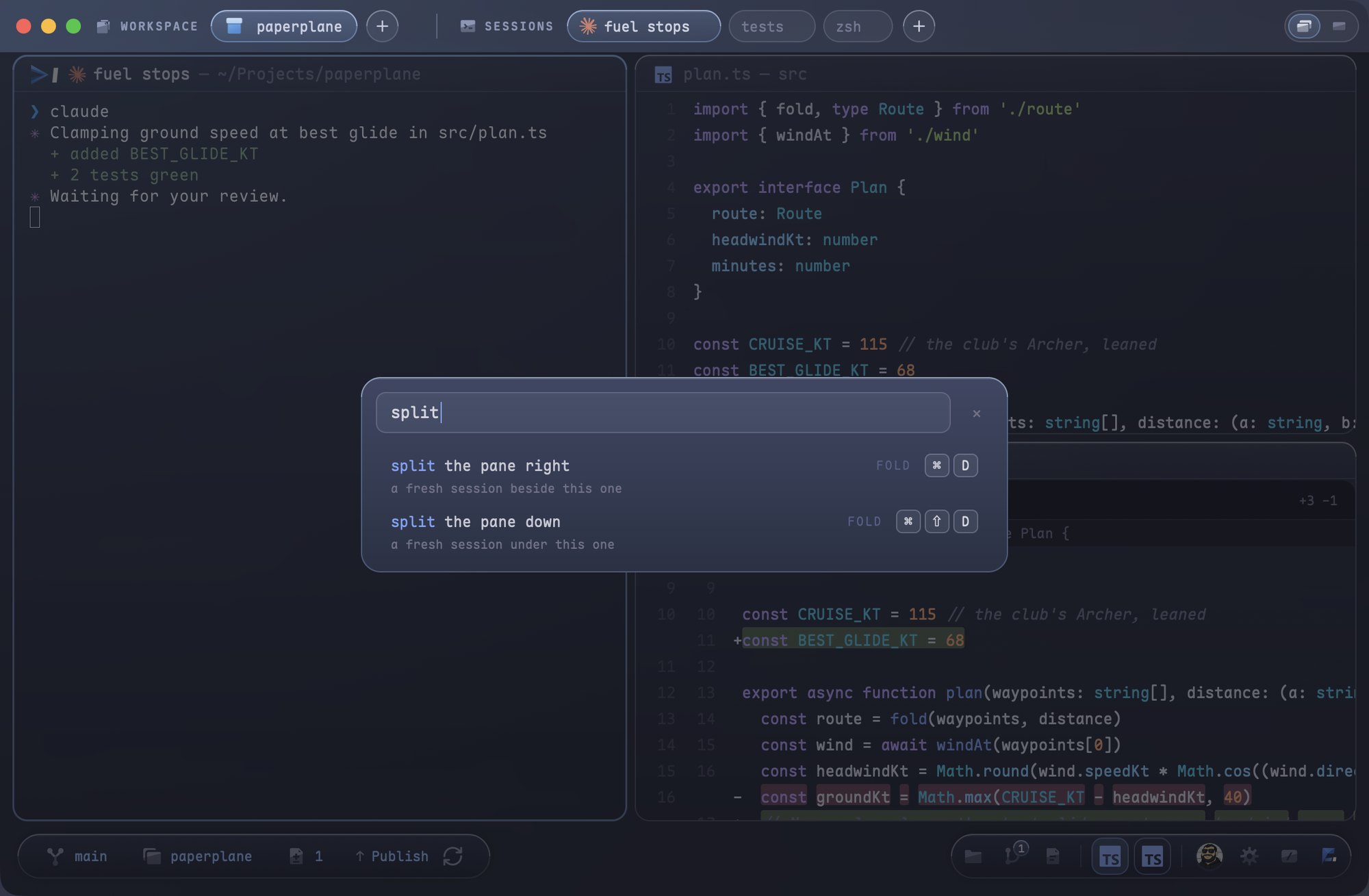
Eight tints. One glow. The whole window wears the project you are in.
A workspace picks its colour once; the band, the pane tiles, the instruments and the glow follow it. Two projects side by side never look the same.
Open a folder. Spawn a shell.
Signed, notarized, updates itself.
brew install --cask samiabi/fold/fold